 KIRA
KIRABundle planning
Choose the wallets and the total supply wanted across them. Kira turns that target into wallet-sized buys that fit the selected balances.
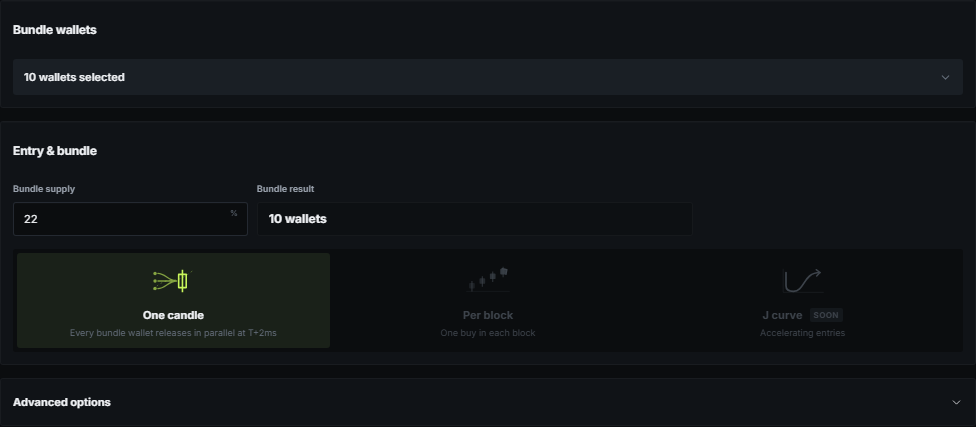
Total supply, not equal shares
A 10% bundle across five wallets means 10% in total. It does not mean every wallet receives exactly 2%. Kira produces varied amounts, respects what each wallet can spend, and keeps positions below the normal per-wallet maximum when the selected wallet count allows it.
If the requested total needs larger positions, the result says so before Launch can continue. Adding wallets or lowering the total produces smaller individual positions.
When the result updates
Select the full wallet set first. The calculation runs when selection is finished, then updates again whenever the total supply, dev position, launchpad settings, or relevant balances change.
The bundle result and curve preview come from the same saved allocation. Clicking away from an input does not replace varied wallet amounts with an equal split.
Entry and final holders
Entry controls only change when the wallet buys are sent. One candle sends them together; other modes intentionally spread them. Optional slow buys and supply transfers sit under Advanced options.
Final holders show the positions expected after configured transfers. The dev remains separate from ordinary bundle selection and from Instant Trade wallet selection.