 KIRA
KIRAWallets
Wallets is where every managed address is created, grouped, funded, selected, and recovered.
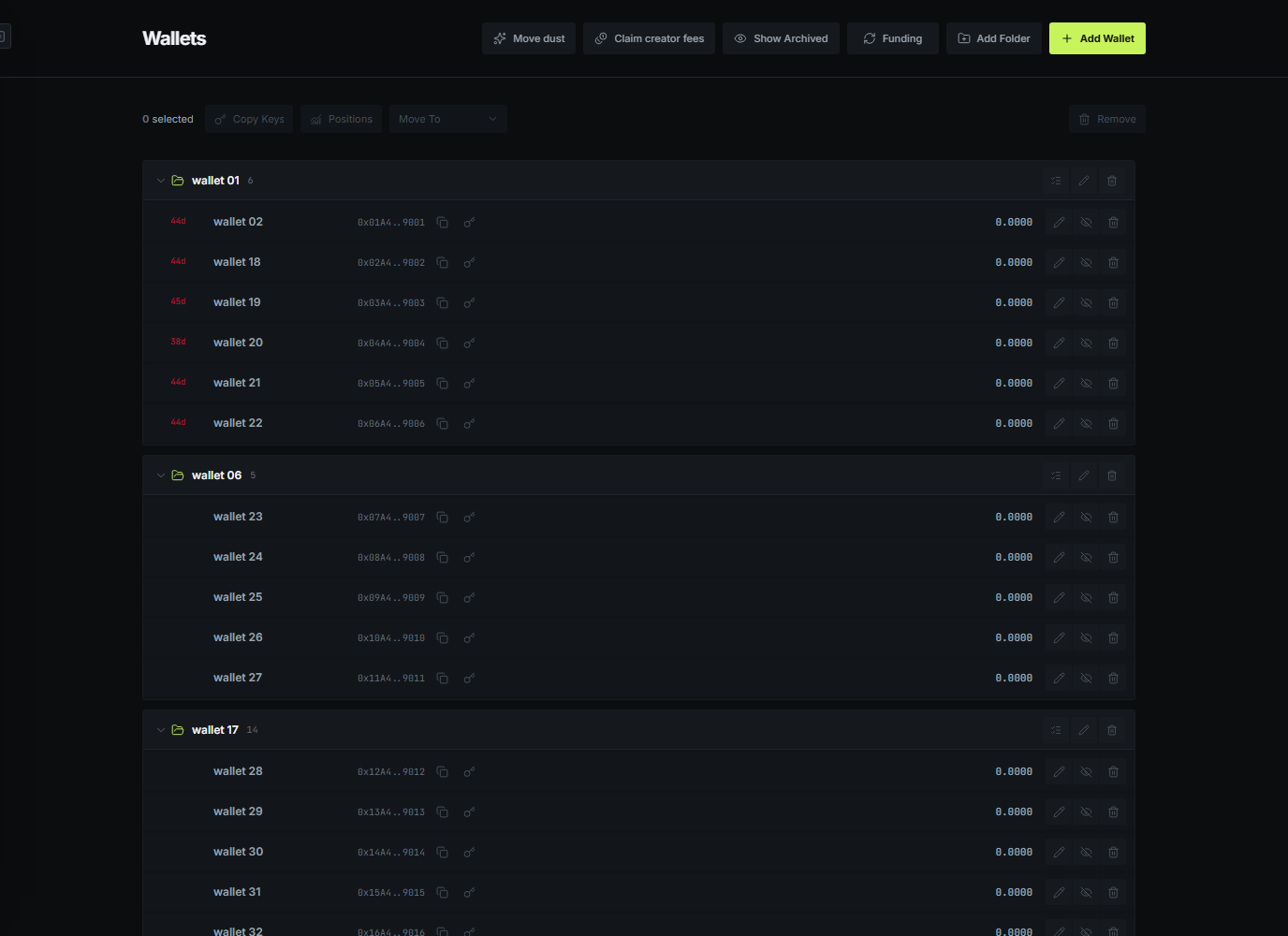
Groups and selection
Create groups that match how you work: devs, bundles, future holders, or separate projects. A group can be selected in one click anywhere Kira asks for wallets. Individual wallets can still be added or removed after selecting the group.
Archived wallets stay available through Show archived, but do not appear in normal project or trading selectors. Their old trades and PNL remain attached to the account.
Moving funds publicly
Drag wallets into Source wallets and Destination wallets to open public distribution. Choose how much to distribute and whether to use zero to three relay wallets. Relay wallets change the direct sender seen by the destination, but every hop remains public on-chain.
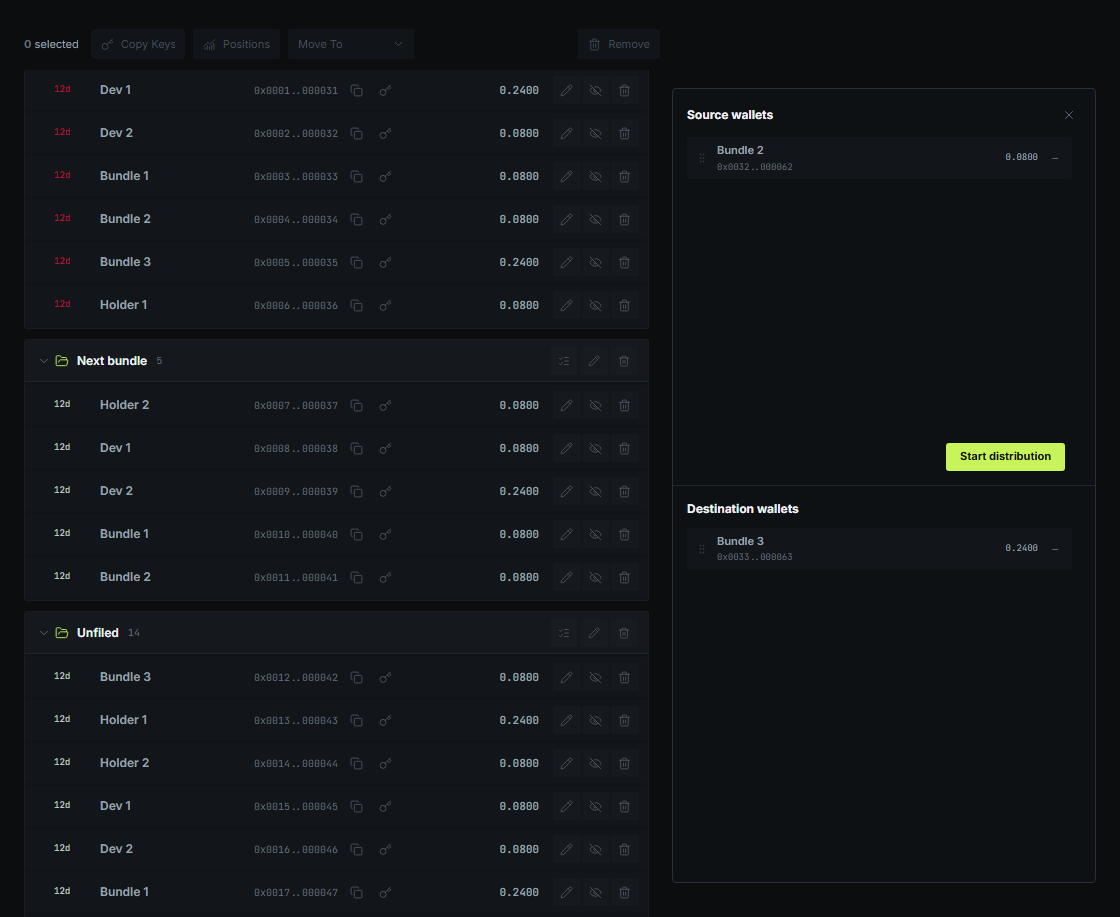
Returning a wallet to the main list restores its original group. A completed drop also clears the temporary selection so the next move starts cleanly.
Wallet-wide actions
- Positions finds supported token balances and lets you choose which positions to sell.
- Claim creator fees scans managed wallets, unwraps wrapped native balances where needed, and sends the result to the destination you choose.
- Move dust collects small native balances into a new managed wallet while leaving larger balances untouched.
- Copy keys exports only the selected wallets and confirms the copy with an animation.
Large scans are batched and show progress. A completed action lists the successful transactions; skipped wallets do not erase successful results.
Keys and removal
Key export is explicit. Save the key before permanently removing a wallet. The removal confirmation names the wallet and makes the permanent effect clear before it can continue.