 KIRA
KIRACharts & trading
The chart combines live market data, confirmed managed-wallet trades, multiwallet execution, holdings, PNL, and dev controls.
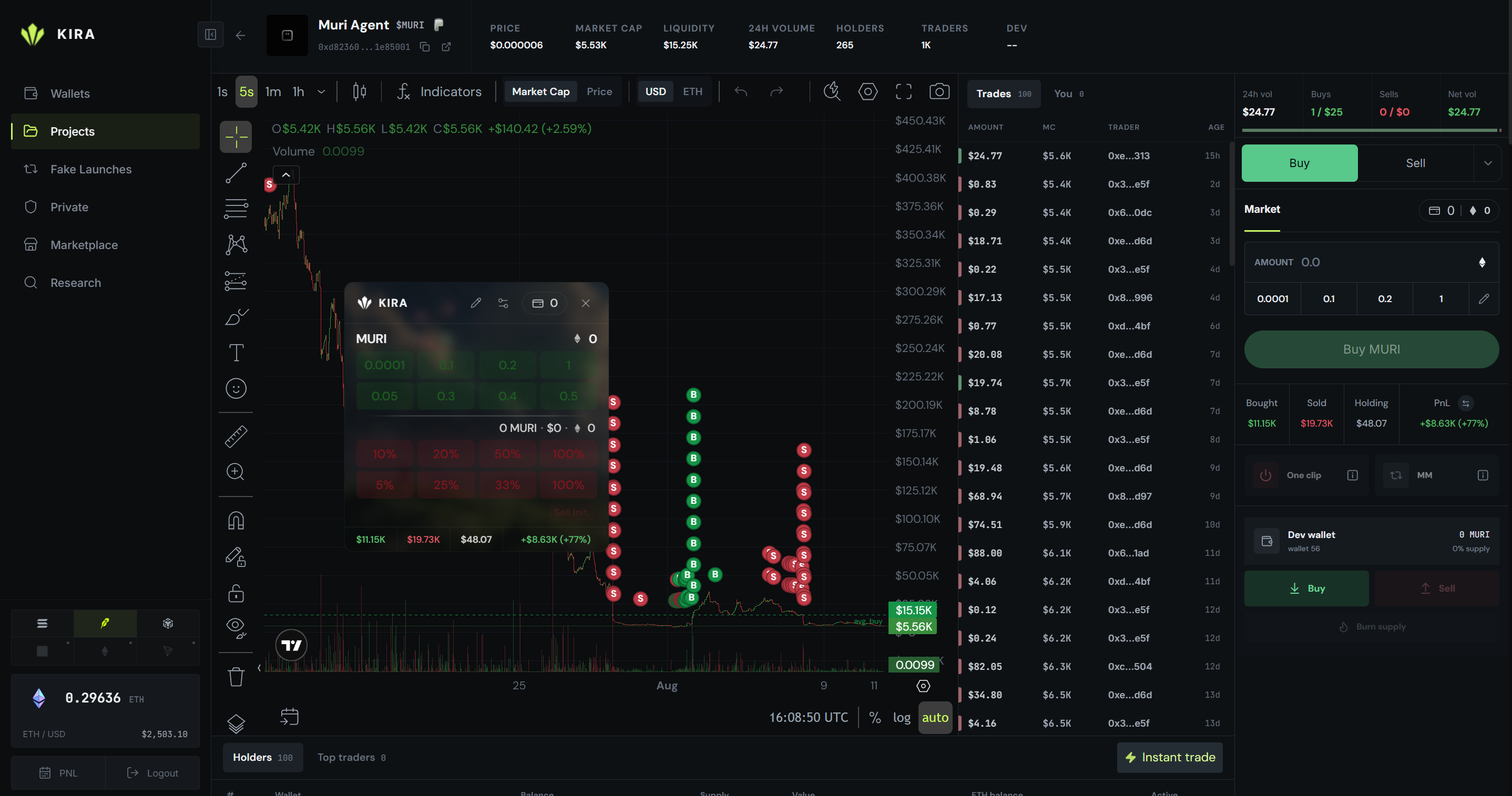
Chart and trade history
Kira resolves the token's live market, loads saved candles immediately, fills older gaps in the background, and continues from the live chain feed. A trade that cannot be decoded is isolated so later trades can still move the tape and chart.
Managed-wallet trades show 👑 YOU in the tape, holders, and top traders. Confirmed buys and sells appear as compact B and S circles even when the wallet traded outside Kira. Hovering a circle shows its USD amount.
Average buy and sell appear as thin dashed lines with their price on the chart scale. Chart timeframe, indicators, drawings, and display settings persist between sessions.
Trading ticket
Choose Buy or Sell, then choose how wallets are selected:
- Automatic uses the eligible managed wallets selected by Kira's allocation rule.
- Manual wallets opens the grouped wallet selector used by Instant Trade.
- Native amount sells a requested value; Supply % sells the selected percentage from every chosen wallet.
Multiwallet actions are prepared independently and sent as one parallel wave. A failed transaction never appears as a confirmed chart trade.
Instant Trade
Instant Trade uses the same presets, wallet selection, holdings, and PNL as the right ticket. Token holders appear first, funded wallets second, and empty wallets last. The dev wallet is excluded so a normal quick sell cannot include it accidentally.
Repeated actions use in-flight wallet state. A second buy can be sent without waiting for the first UI refresh, while rapid percentage sells reserve what earlier sells already used.
PNL and dev controls
Bought, Sold, Holding, and PNL use one dataset in both panels. The switch changes the entire row between USD and the chain's native unit. Archived wallets still count toward history even though they cannot be selected for a new trade.
The Dev section stays visible at zero supply. It is the only place where the dev wallet can buy, sell, burn, lock where supported, or claim creator rewards. One clip sells eligible managed positions only after its confirmation; the dev is included only when explicitly selected there.