 KIRA
KIRAPNL
PNL follows the account's total economic result, not the folders that currently contain its wallets.
How it is calculated
PNL = total sold + current holdings - total boughtWhen every managed position is closed, PNL is simply total sold minus total bought. Moving tokens between your own managed wallets does not create a buy, a sell, or profit.
Historical USD values use the native asset price from the time of each trade. The value of an open holding uses its current market value.
Where it appears
The Projects list, chart ticket, and Instant Trade panel use the same project totals. Archived wallets remain included. Positive PNL is green, negative PNL is red, and zero or unavailable data is neutral.
Click a project's PNL to open a share card titled with that project's ticker.
Calendar and exports
The calendar combines supported-chain results by day. Clicking a day opens the export card for that date. Each uploaded image or video remembers its own aspect ratio and customization.
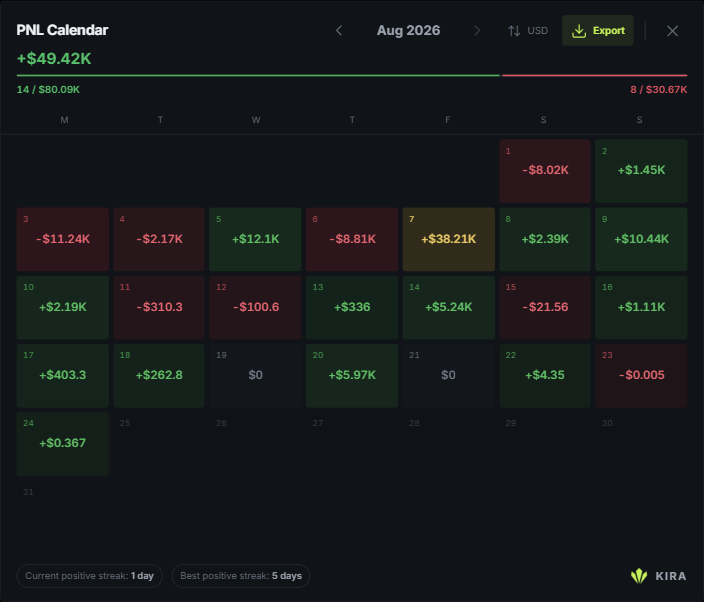
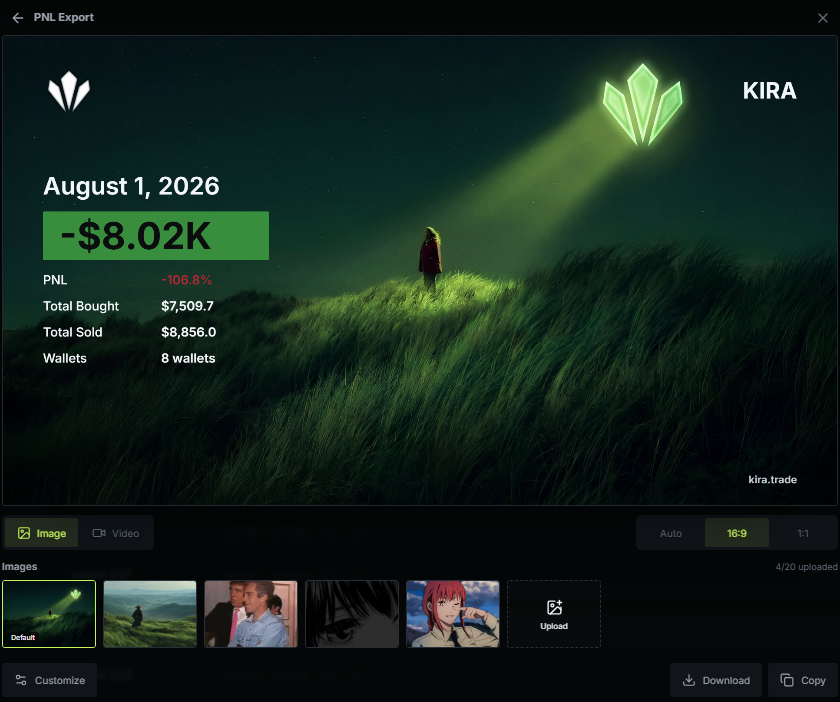
The studio accepts up to 20 images and 10 videos. Exported amounts use the selected chain logo instead of spelling out the unit beside the number.
If a project is still indexing, its result stays marked as incomplete rather than being presented as a final total.